idea热部署
9/11/24Less than 1 minute
我的idea版本是2023,其他版本可能略有不同
1. spring-boot-devtools
- 需要在项目中添加热部署依赖,pom.xml中添加如下
<!--依赖中添加-->
<dependency>
    <groupId>org.springframework.boot</groupId>
    <artifactId>spring-boot-devtools</artifactId>
    <scope>runtime</scope>
    <optional>true</optional>
</dependency>

<!--build模块中添加-->
<build>
	<plugins>
		<plugin>
			<groupId>org.springframework.boot</groupId>
			<artifactId>spring-boot-maven-plugin</artifactId>
			<version>1.5.9.RELEASE</version>
			<configuration>
                <fork>true</fork><!--重点是这里-->
                <addResources>true</addResources>
            </configuration>
		</plugin>
	</plugins>
</build>
需要修改项目配置文件,允许项目进行热部署,示例中是yml文件
spring:
devtools:
restart:
enabled: true修改idea配置
file->settings->Advanced Settings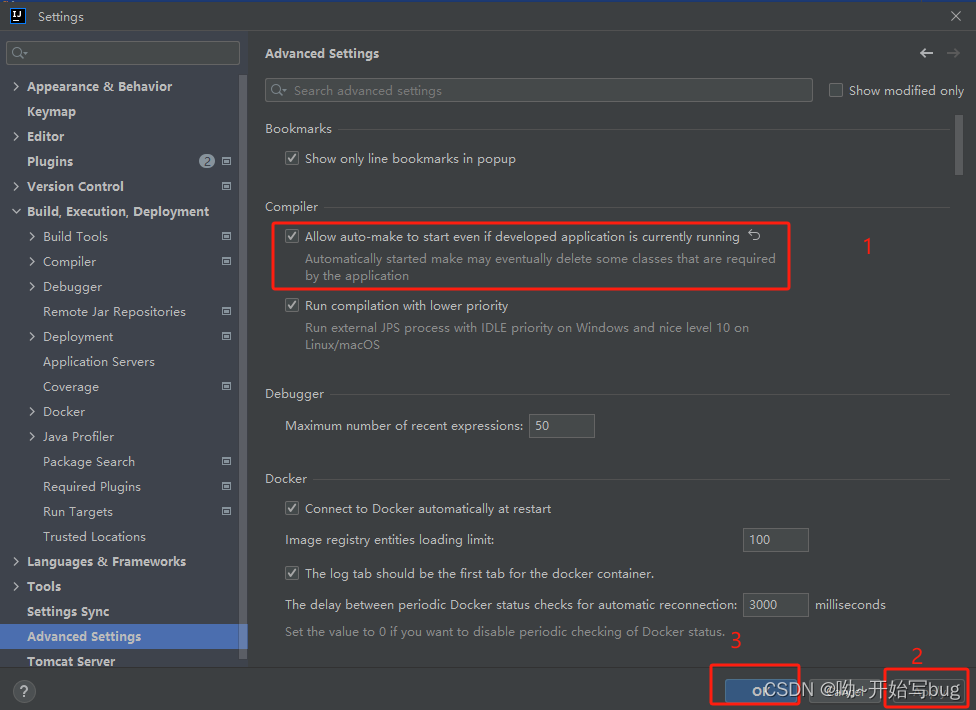
img file->settings->Builds,Execution,Deployment->Compiler
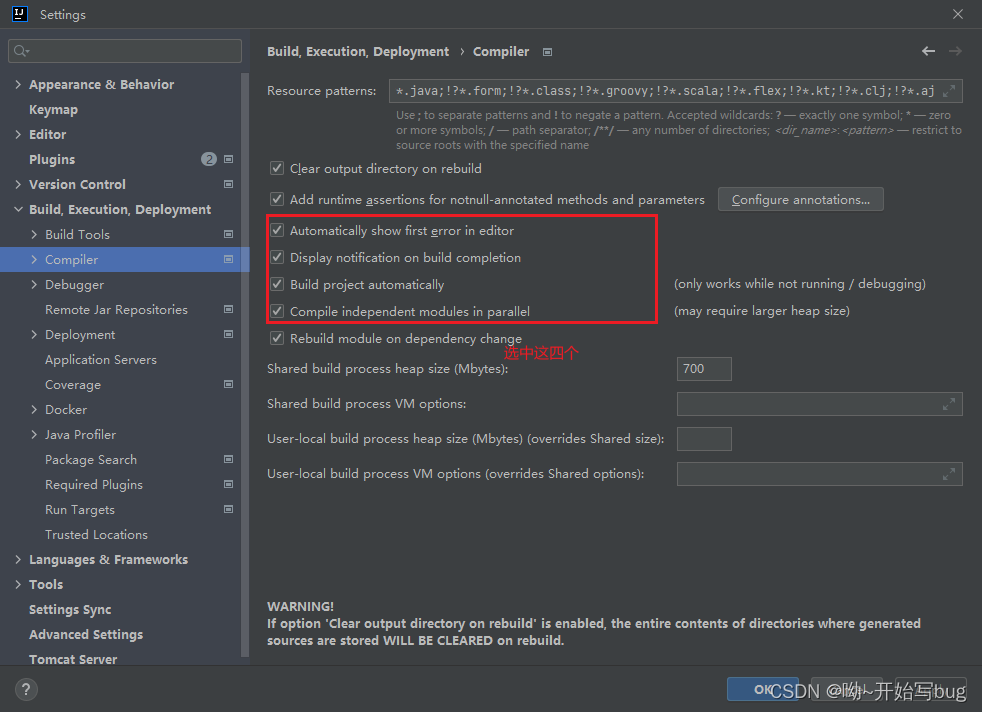
- 重启idea后即可实现热部署
2. Jrebel
- idea插件中心下载插件
- 激活工具下载
- 运行如下图

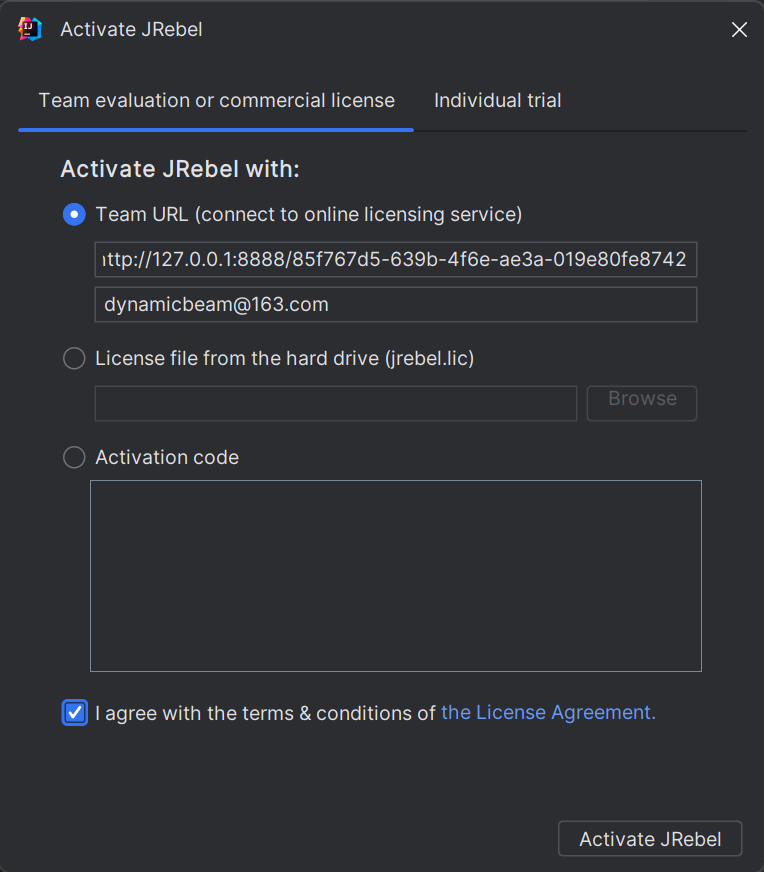
- 激活界面填入
http://127.0.0.1:8888/{GUID},邮箱随便填